


Kids Math: Math Games for Kids
4.577.00 Reviews
App Specs
- Version
- Varies with Device
- Updated On
- License
- Free
- Downloads
- 5,000,000+
- Developer
- RV AppStudios
- Categories
- Educational
- Platform
- Android
Screenshots
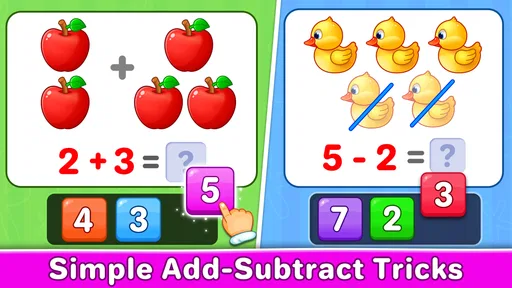
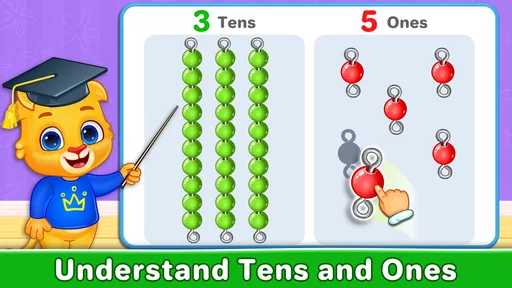
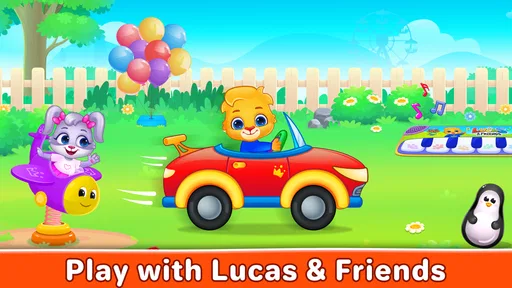
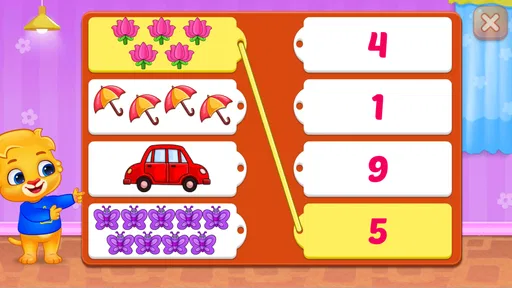
 Analysis by AppCompare
Kids Math: Math Games for Kids made a friendly first impression when I tried it because it treats early arithmetic as a short, playful activity rather than a formal lesson. It is an educational game from RV AppStudios, aimed at children who are beginning to recognize numbers, count objects, match numerals, and work through basic mathematical ideas. The free price makes it easy for a parent to test without turning the first download into a commitment.
The audience is quite clear. This is designed for young learners, and its Everyone age rating reflects that broad, child-friendly focus. I would place it most naturally in a home where a child needs extra practice with number recognition or wants a gentler way to spend a few minutes with math. It is not trying to replace a teacher, a workbook, or a complete school curriculum. Its value is more immediate: it gives a child a simple place to repeat foundational skills until they feel familiar.
That distinction matters. A child who is already comfortable with addition, subtraction, and more advanced problem solving may find the activities too easy. On the other hand, a beginner can benefit from the low-pressure presentation. The game’s strongest quality is not depth; it is accessibility. It turns very small learning steps into playable moments, which can be exactly what a young child needs before moving to more demanding exercises.
How the visual language makes early math feel approachable
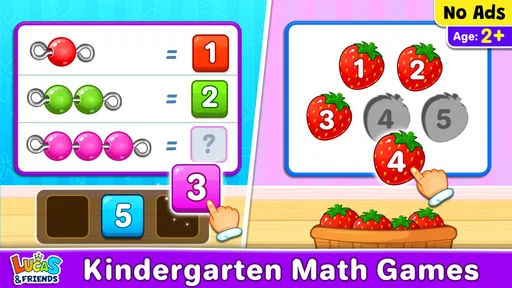
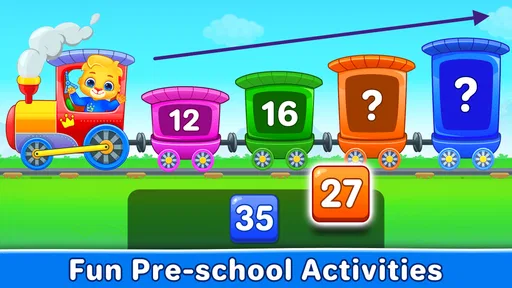
The art direction supports the game’s educational purpose by keeping attention on the numbers and the actions around them. Instead of presenting math as a page full of symbols, the experience connects counting and matching with a more playful visual setting. That choice helps children who understand objects before they understand abstract notation.
In my experience, this kind of visual translation is especially useful at the beginning of a learning journey. A numeral can seem arbitrary to a child, while a group of visible items gives it meaning. When the child has to connect a quantity with its written number, the task becomes easier to understand. The game therefore works best when used as a bridge between seeing, counting, and recognizing.
The setting is intentionally uncomplicated. There is no elaborate story world competing with the lesson, and that is a sensible decision here. A large fictional adventure might be exciting, but it could also distract from the small decision the child is supposed to make. The visual mood stays light enough to encourage another attempt after a mistake.
I also found that the presentation affects pacing. Because the activities are built around short responses, the child can complete a small task without feeling trapped in a long session. That makes it suitable for a quick practice period before breakfast, during a quiet afternoon, or while waiting for an appointment. Parents should still supervise screen use, but the format is easier to fit into a routine than a long-form game.
Worth Reading Before You Choose

EA SPORTS FC Mobile 26 Is a Bigger Football Game, but It Takes Time

Flipboard Shows What News Apps Must Do Beyond the Feed

Switching to Android Auto Means Rethinking Your Driving Routine

Google Calendar Makes a Crowded Week Easier to Manage

Ludo King Makes the Most of the Minutes Between Plans

Baby Panda World Brings Quick Play to Modern Phones, but Its Game Library Feels Busy
There is a useful trade-off in this simplicity. The uncluttered approach makes the game approachable, yet it may not hold the attention of a child who needs constant novelty. If your child expects a large world, character progression, or a story with many surprises, this will feel more like a learning tool with game elements than a conventional adventure. I consider that an honest strength for beginners and a possible weakness for older children.
Using the visuals as a learning routine
I would not hand the game to a child and assume that every activity has the same educational value at every stage. A better routine is to watch what the child does naturally. If the child counts objects correctly but hesitates when choosing the matching numeral, spend time discussing that connection aloud. If the child recognizes numbers but rushes through counting, ask them to touch or point to each item one at a time.
This turns the screen into a prompt for conversation rather than a substitute for it. The game can show the task, while a parent supplies the language: “How many did you see?” “Which number says that?” or “Can you count them again slowly?” That small adjustment makes the activity more useful than simply tapping until the next screen appears.
A second practical tip is to stop while the child is still comfortable. Early math practice can become frustrating when repetition feels forced. Since the game is free and easy to return to, there is little reason to stretch one session too far. Short visits can preserve the playful mood and make the next practice session feel inviting rather than compulsory.
Sound, rhythm, and the feeling of progress
The audio presentation works alongside the bright, simple visual style to make each action feel like part of a game. In an early-learning title, sound has a delicate job: it should acknowledge a child’s response without becoming more interesting than the question. Here, the overall mood is designed to keep the child moving from one small task to the next.
That rhythm is important because young learners often respond better to immediate feedback than to a long explanation. A visual response paired with a sound cue can make a correct answer feel noticeable. It also gives the activity a sense of completion, which encourages the child to continue. The best use of the game is therefore not as background entertainment, but as a sequence of small moments where the child acts, receives feedback, and tries again.
I would keep the volume at a comfortable level and use the game in a calm environment. When a child is already surrounded by television, music, or several other distractions, even a well-paced educational game can lose its focus. A quieter setting lets the child hear and notice the feedback instead of treating it as general noise.
The sound and rhythm also reveal one of the game’s limitations. Feedback can motivate repetition, but it does not automatically explain a mistake in the way a patient adult can. If a child chooses the wrong number, I would avoid immediately giving the answer. Instead, I would ask the child to recount the objects or compare the choices. That turns a correction into a reasoning step.
This is one of the most important ways to use the game well: let the app provide the prompt, but let the child explain the answer. The game’s pacing is good for practice, while the parent or teacher adds the deeper learning. Without that extra conversation, a child may learn to guess based on position, sound, or visual habit instead of understanding the number relationship.
Why the short rhythm suits everyday use
A realistic use case would be a child who has started recognizing numbers but still mixes up their order. I might open the game for a brief session after dinner, sit nearby, and ask the child to say each number aloud before tapping. If the child begins answering automatically, I would pause and ask what the number represents. That small interruption keeps the activity connected to meaning rather than speed.
Another useful moment is before a school exercise. A few simple activities can warm up the child’s attention without creating the pressure of a test. I would not use it as a reward for finishing every piece of homework, because that can make math feel like an obstacle before the fun begins. It works better as a regular, neutral practice option that the child can approach without fear of being judged.
The rhythm is also helpful for siblings at different levels, though expectations should be managed. A younger child may need time to count carefully, while an older child may finish quickly and become impatient. In that situation, I would let each child use the game separately rather than turning it into a competition. The activities are most effective when the learner’s pace remains personal.
Where the mechanics fit, and where they stop
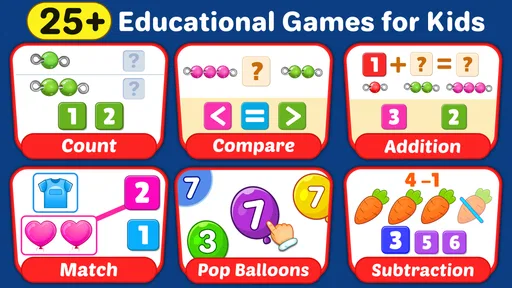
At its core, Kids Math: Math Games for Kids focuses on early number skills: counting, matching numbers, and basic math. That narrow scope is easy to understand and makes the game suitable for a child who needs a first step. It does not ask the learner to navigate complicated systems before reaching the educational task.
The mechanics fit the intended age because the actions are direct. A child can concentrate on identifying the correct quantity or numeral instead of learning a complicated control scheme. This lowers the barrier to independent use, although I would still watch the first few sessions to make sure the child understands what each activity is asking.
The game is especially well suited to reinforcement. If a child has encountered numbers in preschool or at home, repeated matching and counting can help make those ideas more automatic. It can also offer a gentle starting point for children who become anxious around worksheets. The playful format removes some of the visual pressure associated with a page of exercises.
However, I would not describe it as a complete math program. A child needs more than recognition and repetition to develop strong mathematical thinking. They also need to compare quantities, explain strategies, solve problems in words, and apply numbers to real situations. Parents can fill that gap by connecting the game to daily life: count fruit, compare two groups of toys, or ask the child to find a number on a clock.
The game should also be used with realistic expectations about difficulty. Its basic activities are a good match for beginners, but children who need advanced challenge may outgrow it. If your child is already working comfortably with multi-step problems, a more structured learning platform or teacher-led material would likely be a better choice. This is not a criticism of the game’s design; it is simply the boundary of its purpose.
Three practical ways to get more from the mechanics
First, ask the child to predict before tapping. If the task involves matching a number to a group, have them say the answer aloud and explain how they counted. This slows down guessing and gives you a clearer view of whether the child understands the relationship.
Second, use real objects immediately afterward. If the game presents a small quantity, place the same number of blocks or pencils on a table. The child then sees that the skill is not limited to the screen. This is particularly useful for children who can complete an activity visually but struggle to transfer the idea to everyday objects.
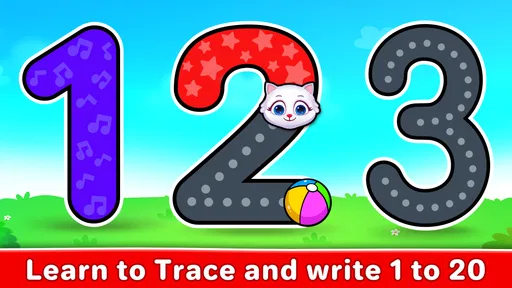
Third, notice the type of error rather than only the result. A child may count the same object twice, confuse similar numerals, or tap too quickly. Each problem calls for a different response. Recounting helps with one-to-one counting, while tracing or saying the numeral can help with recognition. The game gives you a convenient starting point for identifying that difference.
These approaches also answer a common concern about independent play. Yes, a child can interact with the game alone, but the learning outcome is stronger when an adult occasionally checks in. The right level of involvement is not constant instruction. It is brief observation, a question when needed, and a connection between the digital task and the child’s world.
Who should install it and who should look elsewhere
I would recommend this game to parents looking for a free introduction to early math practice on a compatible device. It is available for devices running Android six or later, so it can work on a range of older phones and tablets as well as newer ones. That compatibility is useful for families that keep a shared device for children rather than buying a dedicated tablet.
The game has reached more than five million installs and holds a four-and-a-half average from roughly ten thousand ratings, which suggests that it has found a substantial audience. I treat those figures as signs of familiarity rather than proof that it will suit every child. The important question is whether your child is at the beginning-number-skills stage and responds well to short, visual activities.
Its release in May 2021 also places it in the current generation of mobile educational games, while the free model makes experimenting straightforward. I would still check the experience myself before leaving a child alone with it, especially because children differ widely in reading ability, attention span, and comfort with touch controls. A quick adult trial can reveal whether the activity level feels right.
Choose something else if you need a full progression through a school syllabus, detailed reporting for a teacher, or challenging arithmetic for an older learner. A workbook may be better when handwriting and written layout are the main goals. A tutor or classroom resource is better when the child needs immediate explanation. Another game may be preferable if motivation depends on a strong story, character development, or a more varied adventure structure.
I would also skip it as the only tool for a child who consistently struggles with number concepts. Repetition inside a game may help, but persistent confusion deserves patient, individualized support. The app can reinforce an explanation; it cannot observe every misunderstanding or adapt like a skilled adult.
My atmosphere verdict after using it
Kids Math: Math Games for Kids creates a coherent mood by combining approachable visuals, encouraging feedback, and a steady sequence of small tasks. The art avoids making early math feel intimidating, the sound helps mark progress, and the pacing makes short practice sessions realistic. Most importantly, those presentation choices remain connected to the mechanics instead of hiding them behind decoration.
My recommendation is strongest for young beginners who need counting, number matching, and basic math practice in a less formal setting. I like it as a starting point and as a supplement to conversations with a parent or teacher. The free access lowers the risk of trying it, and the Everyone rating makes its intended audience clear.
My reservation is equally clear: the experience is limited by its introductory focus. It will not replace broader instruction, and a child who already understands these skills may quickly want more challenge. Used thoughtfully, though, it can make a small daily math routine feel lighter and more approachable.
For me, the best way to recommend it to a friend would be this: install Kids Math: Math Games for Kids when your child is learning what numbers mean, not merely memorizing how they look. Sit nearby at first, ask a few simple questions, and connect the on-screen activities with objects and situations outside the game. With that approach, Kids Math: Math Games for Kids becomes more than a tapping exercise; it becomes a friendly bridge into early mathematical thinking.
Pros
- Covers addition
- subtraction
- multiplication
- and division practice.
- Short activities help children stay focused during learning sessions.
- Colorful visuals make basic math practice more appealing.
- Suitable for independent practice with simple touch controls.
- Can reinforce classroom lessons through repeated exercises.
Cons
- Some children may find the activities repetitive over time.
- Difficulty progression may not suit every child’s learning pace.
- Requires supervision to ensure guessing does not replace learning.
- Limited value for children already comfortable with advanced math.
- Ads or in-app purchases may affect the experience
- depending on version.
FAQs for Kids Math: Math Games for Kids
What is Kids Math: Math Games for Kids?
Kids Math: Math Games for Kids is an educational app designed to help young learners practice basic mathematics through short, interactive activities. It commonly focuses on skills such as counting, addition, subtraction, multiplication, division, number recognition, and simple problem-solving. The game-based format can make practice feel less like homework, although the exact topics and difficulty levels may vary depending on the version installed.
What age group is Kids Math: Math Games for Kids suitable for?
The app is mainly intended for preschool and elementary-school children who are beginning to learn or strengthen their math skills. It may be useful for children who need extra practice with numbers and basic operations, but parents should check the available levels before downloading because learning content can differ between devices and updates. Younger children may also need help understanding instructions and navigating the menus.
Does Kids Math: Math Games for Kids work without an internet connection?
Many basic math activities may be playable offline after the application has been installed, which is convenient for travel or areas with limited connectivity. However, some features can require internet access, including advertisements, updates, analytics, cloud features, or additional content. Before relying on offline play, open the app once while connected and test the activities you want your child to use.
Is Kids Math: Math Games for Kids free to download and use?
The app may be available as a free download, but free versions of children’s educational games can include advertisements, optional purchases, locked lessons, or premium upgrades. Parents should review the store listing and the in-app purchase information carefully before allowing a child to play. It is also sensible to enable parental controls or require a password for purchases to prevent accidental charges.
Is Kids Math: Math Games for Kids safe and suitable for children?
The app is created for children’s learning, but parents should still review its advertisements, permissions, privacy information, and any external links before handing over the device. A child-friendly interface does not automatically mean that every third-party ad or purchase prompt is appropriate. For younger users, supervised play is recommended, especially during the first sessions, so adults can confirm that the content and difficulty are suitable.


